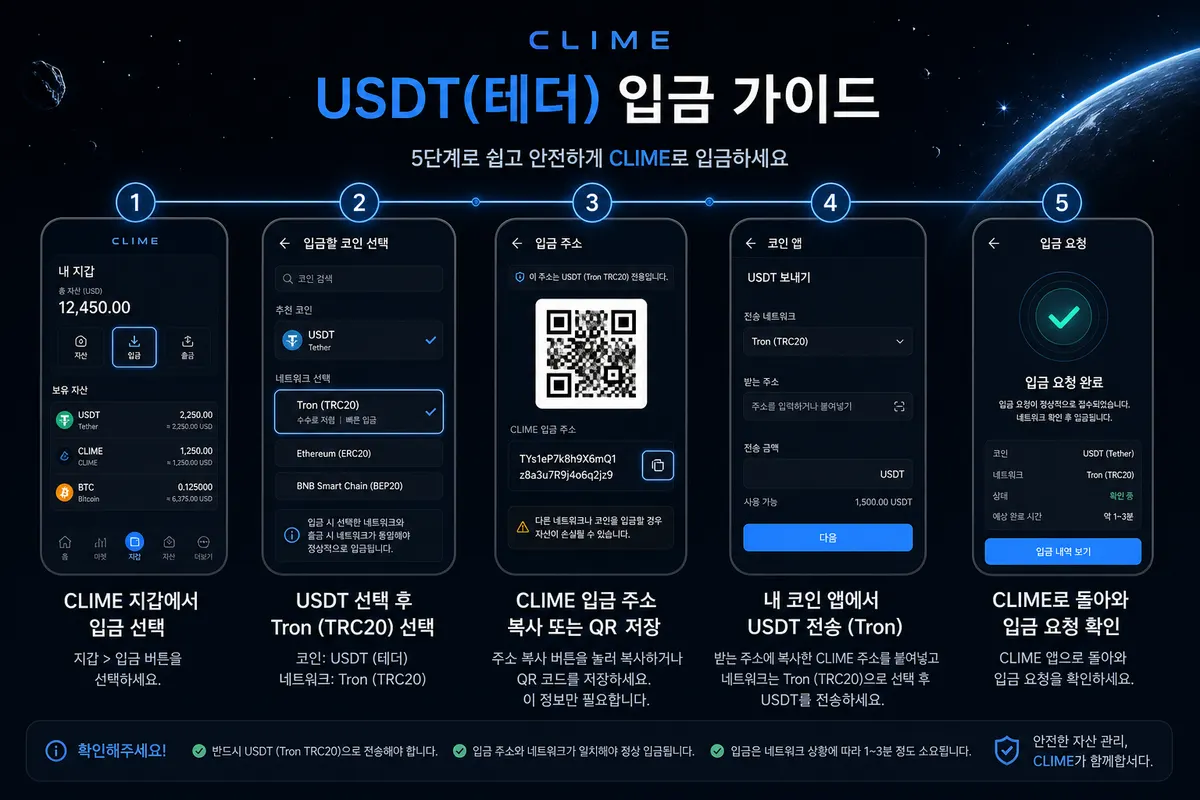
USDT (Tether) is dollar-like crypto money. Send only to the address and Tron path shown in CLIME, then submit a deposit request.
Deposit steps at a glanceStep-by-step guideShort key points you can expand when you need them.View moreCollapse+
USDT (Tether) is dollar-like crypto money. Do not mix it with other coins when you send.
At a glance: Wallet → Deposit → withdraw PIN → amount (start small) → Tron path → copy address → send from your crypto app → submit a deposit request in CLIME → under review.
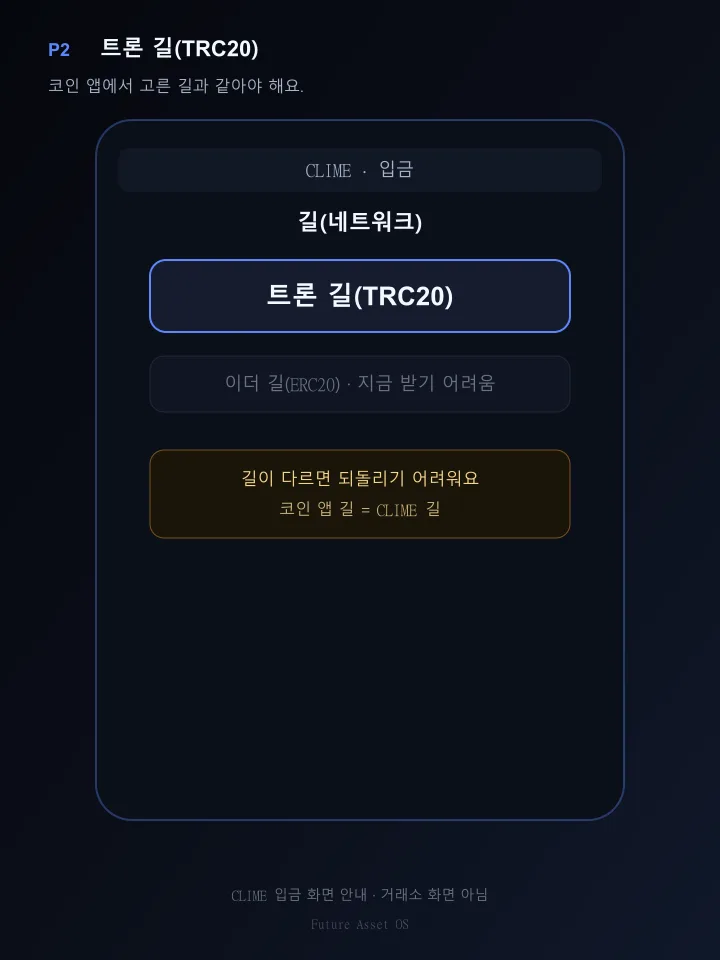
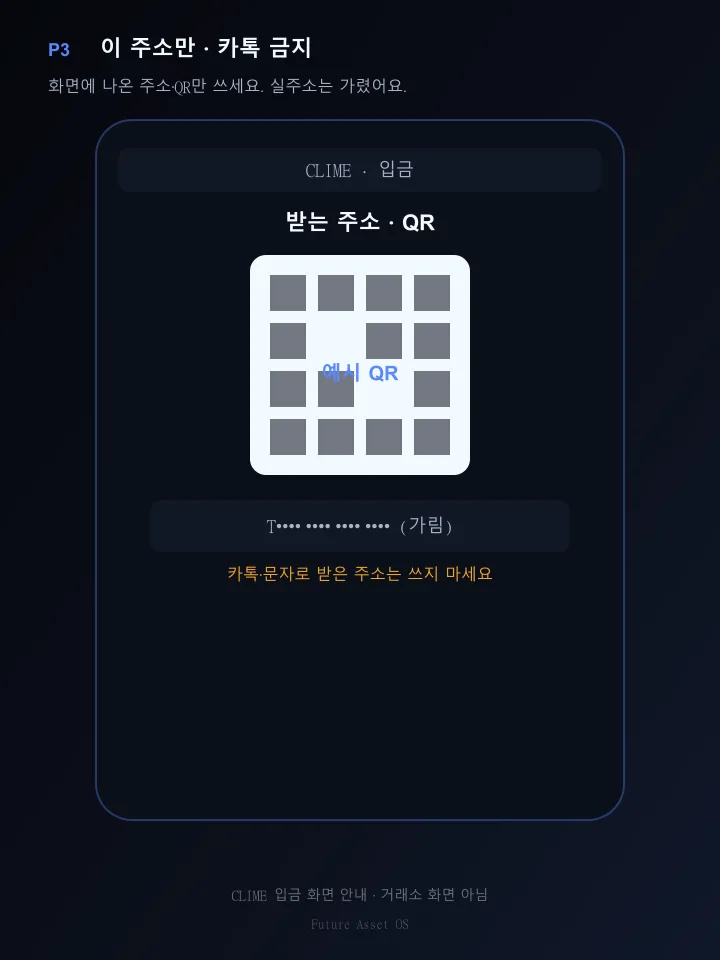
In CLIME: use the USDT, Tron path (TRC20), and address on the deposit screen. Do not use an address from chat.
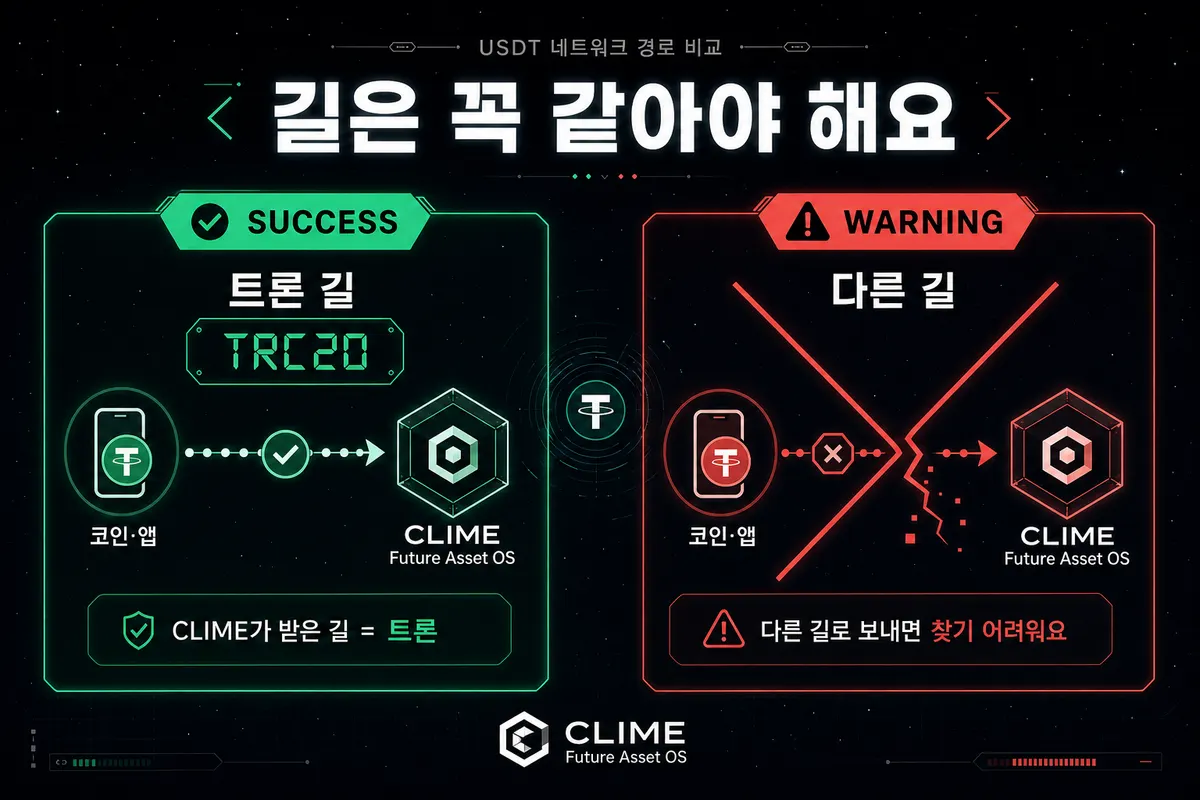
In your usual crypto app: choose USDT withdraw/send and use the same Tron path as CLIME. A wrong path is hard to reverse.
If withdraw looks blocked in your crypto app, check that app’s deposit/withdraw status first. We do not say “send now” as a promise.
Never: send on a different path (such as Ethereum), use a chat address, or send without submitting a CLIME deposit request.
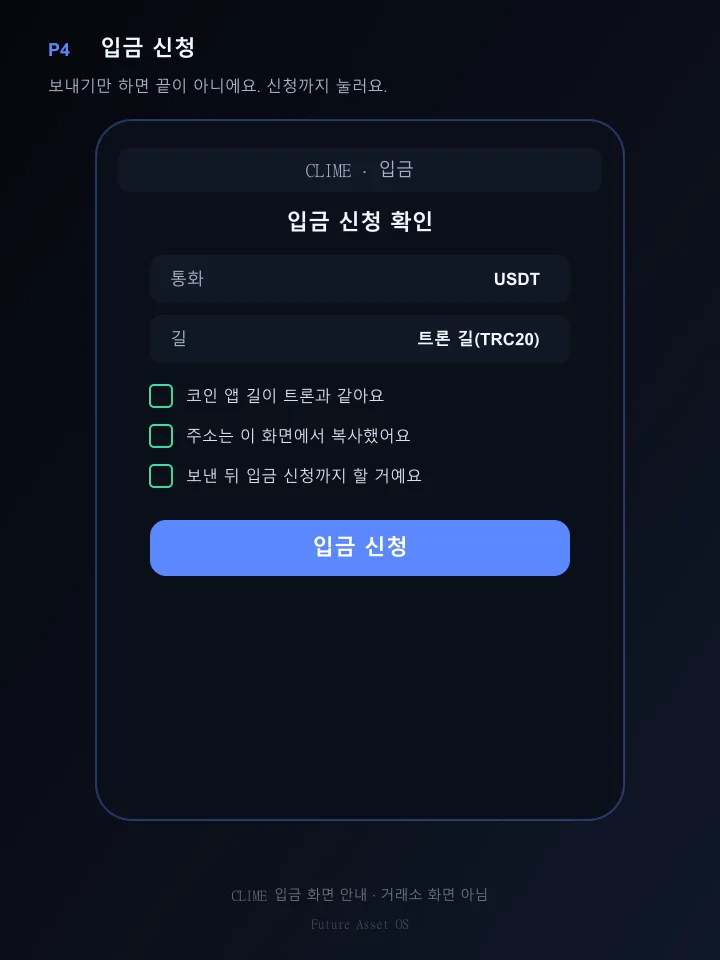
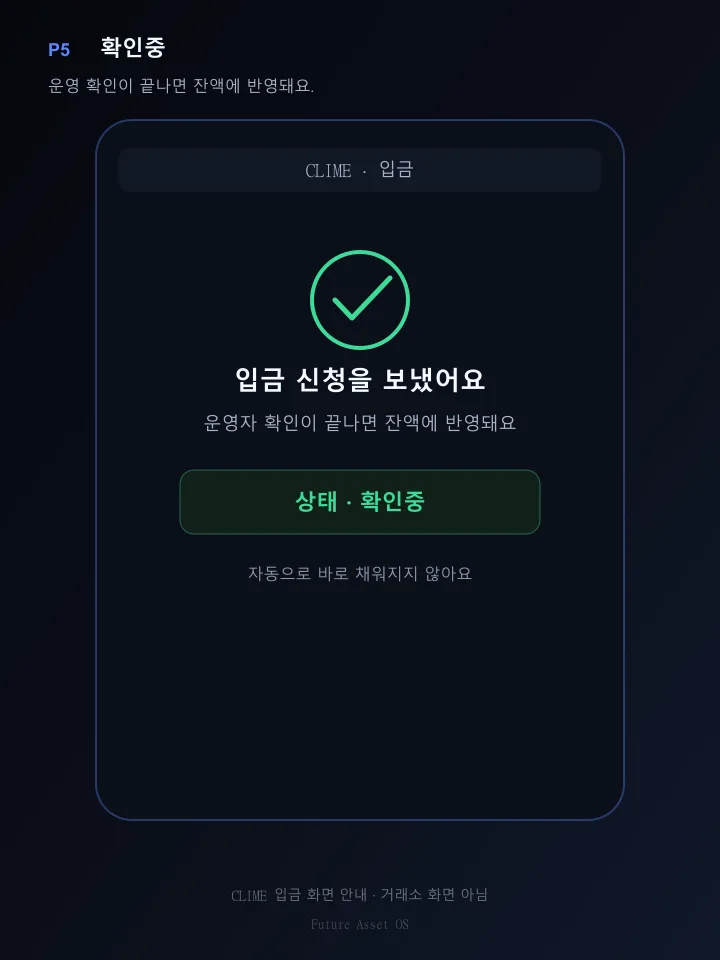
After sending, submit a deposit request in CLIME. Sending alone is not enough — balance updates after review.
If a deposit does not appear, see the Deposits & withdrawals guide.
Extra USDT tiers and benefits are only in Depositing with crypto? — separate from this how-to.
Use the Tron path
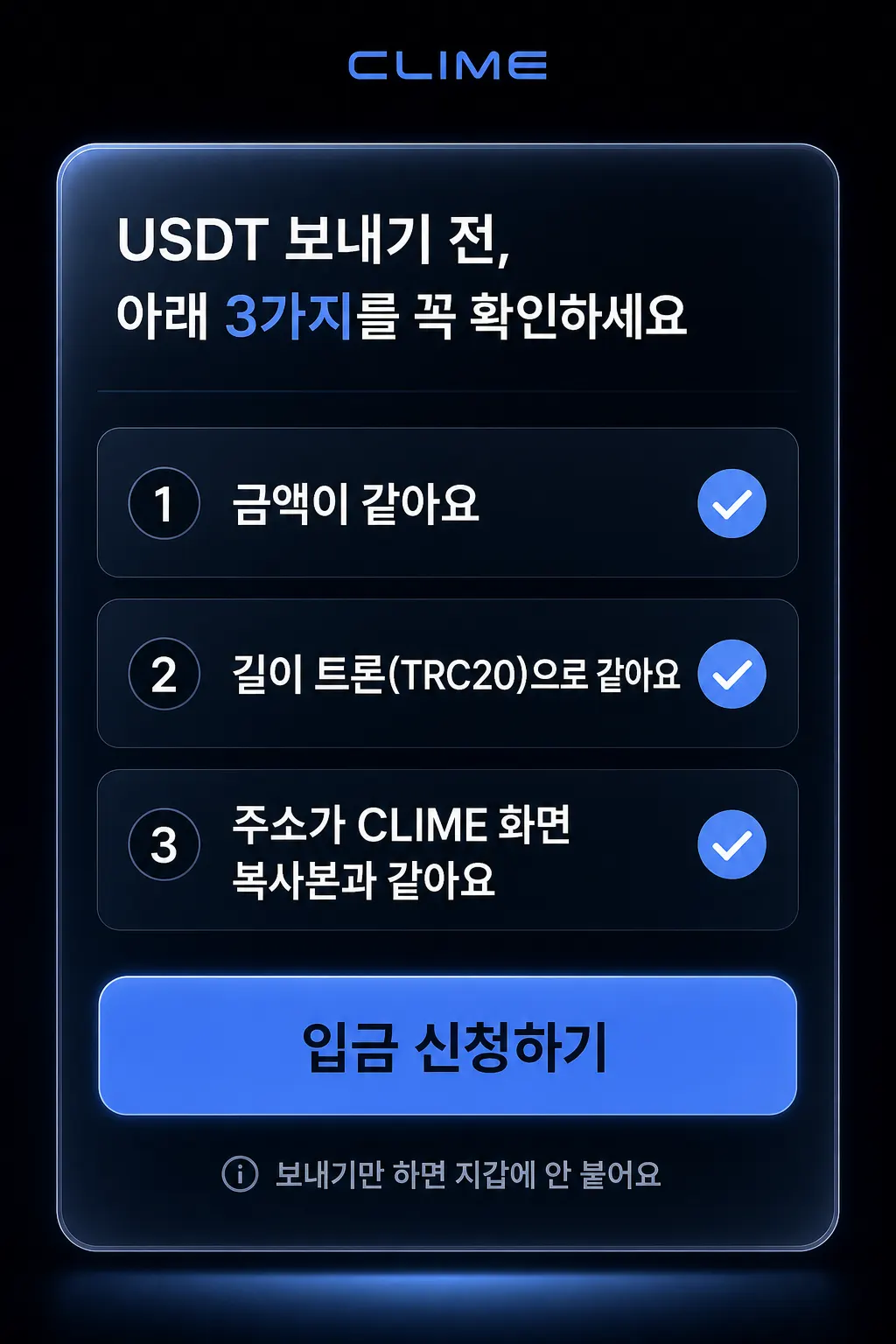
Pre-send checks · deposit request
What to do on the CLIME deposit screenFive scenes: USDT · Tron path · address · request · under reviewView moreCollapse+
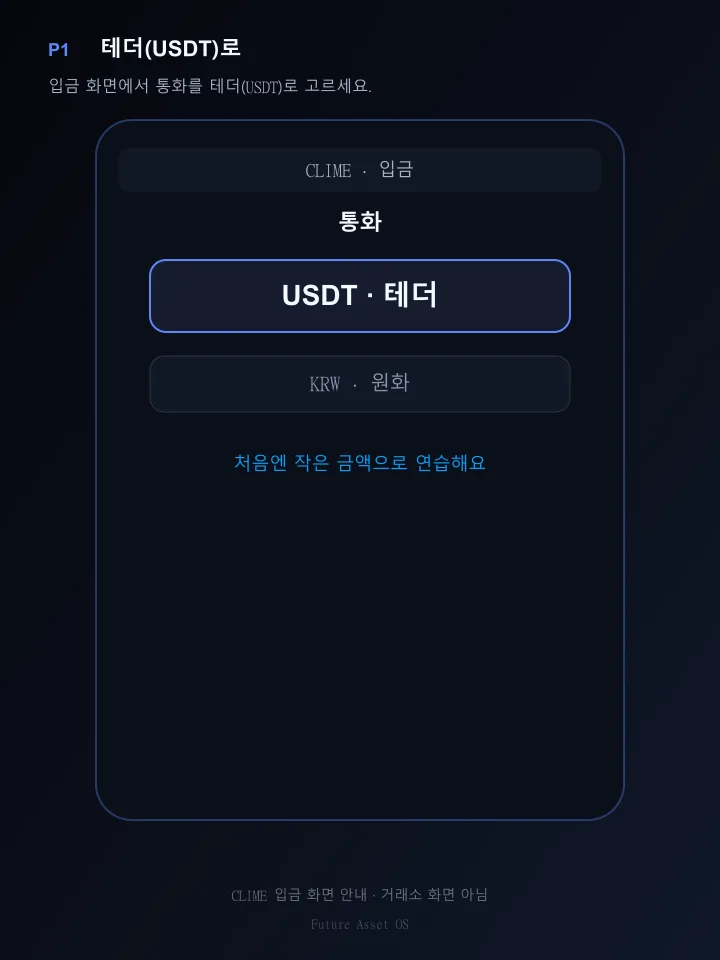
P1 · Choose USDT
P2 · Tron path
P3 · This address only · no chat addresses
P4 · Deposit request
P5 · Under review
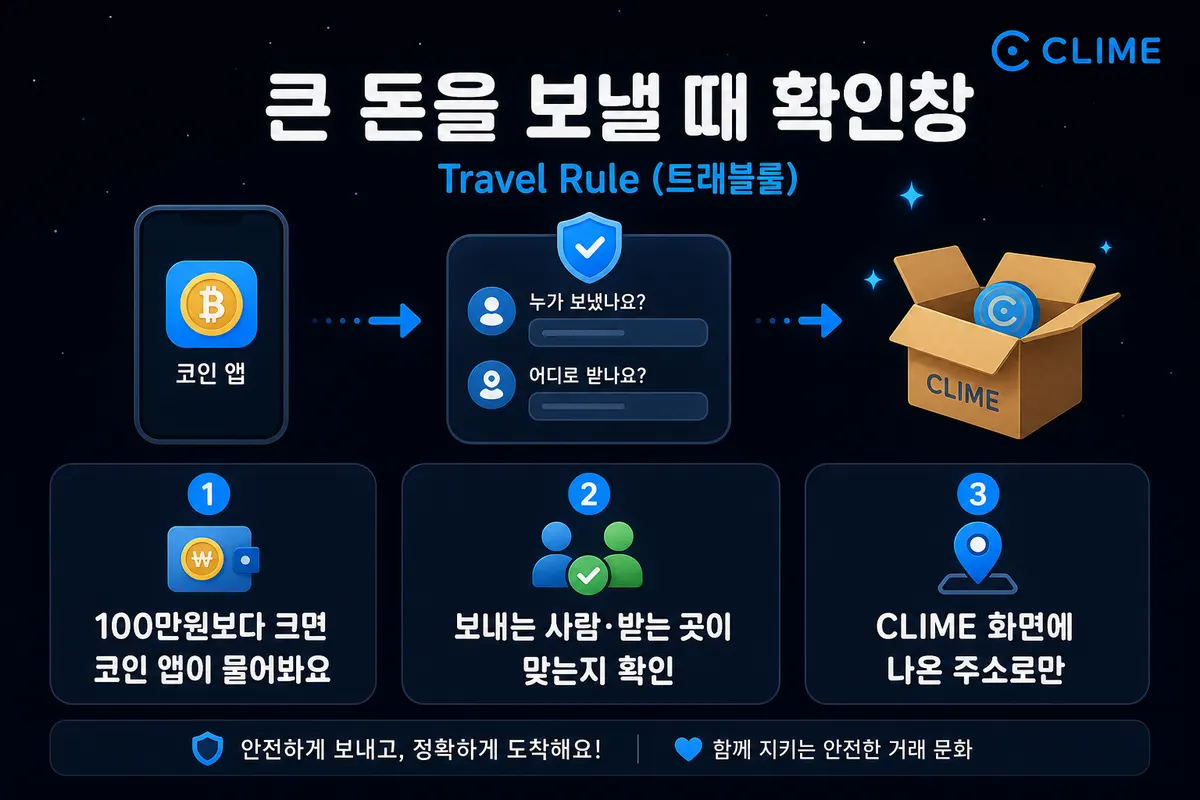
Large-amount confirmation window (travel rule)A check your crypto app may show when you send a large amount out.View moreCollapse+
Large-amount confirmation (travel rule)
It is called the “travel rule.” It means confirming who sends a large amount and where it goes.
Your crypto app may show a confirmation when you send crypto worth more than about 1 million KRW. Exact thresholds and screens follow that app’s official help.
It may ask whether the sender and destination (or address) are correct.
CLIME shows the receive address on screen. CLIME may not appear in your app’s linked-exchange list — then follow that app’s official help for address book or personal-wallet registration.
Start with a small amount once; add more after it works.
Reference · official supportOfficial pages from common crypto apps — not CLIME recommendations.View moreCollapse+
These are those companies’ pages, not CLIME guides. Screens and rules can change.